design case study2 weeks

Clash Royale Parental Controls

I designed a Clash Royale-style time limit and parental control flow that protects playtime without breaking the feeling of the game.

My role

UX research, game UI design, feature strategy, flow design, Figma prototyping
Case study
Clash Royale parental control feature cover

Time limit

Day / week / month

Parent lock

Passcode protected

Game UX

Project type

Fictional game UX

Role

UX / UI designer

Duration

2 weeks

Project overview

Responsible play, without losing the game feel.

This was a self-initiated fictional case study created to learn game UX. I used Clash Royale as the product context and explored how time-limit controls could fit inside a high-energy mobile game without feeling like a generic settings feature.

Concept
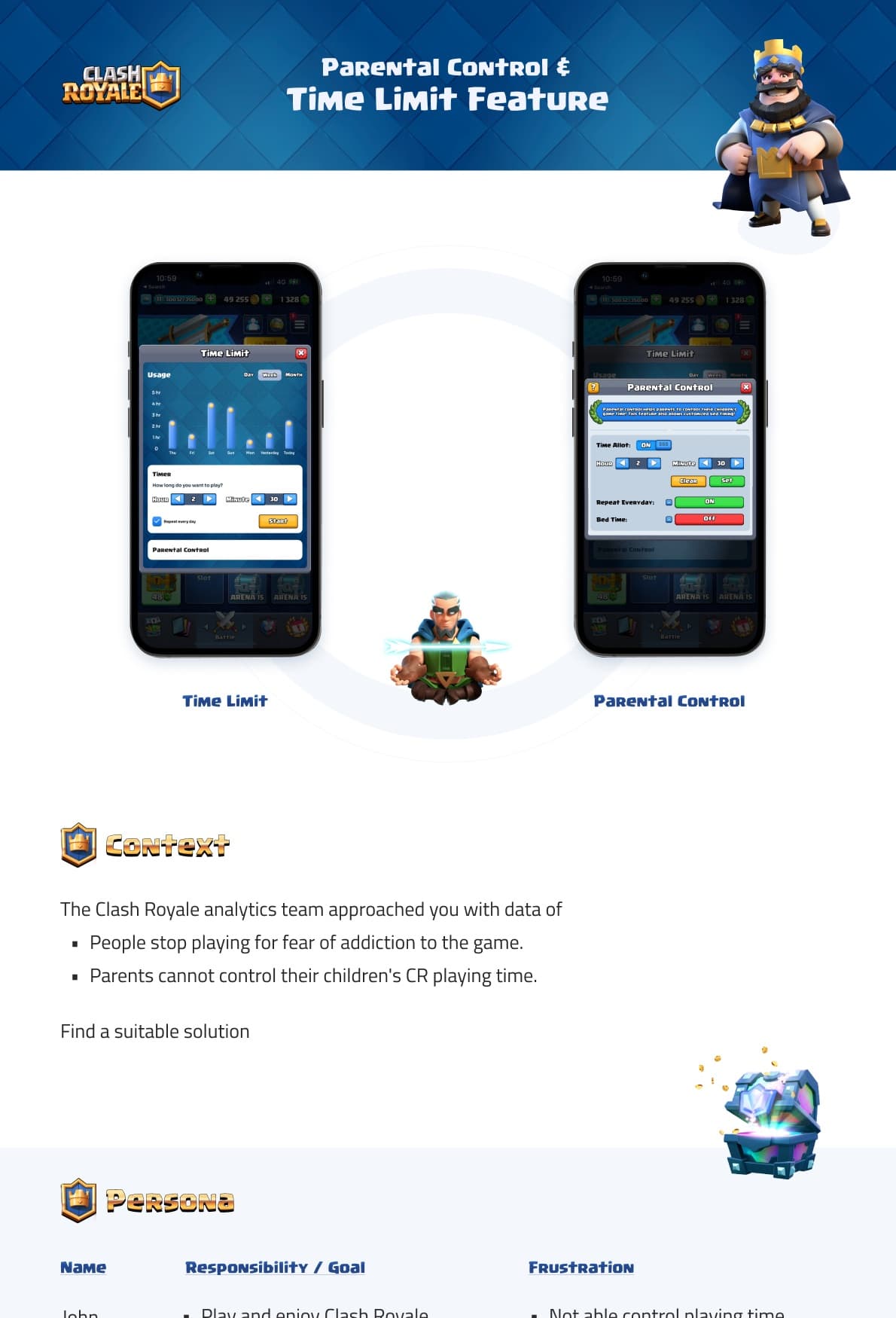
Time limit and parental control entry points.

Clash Royale time limit and parental control concept screens
Concept

The tension

Players may want to manage their own playtime, while parents may want more confidence around a child's Clash Royale usage. The challenge was to add control without turning the game into a punishment experience or interrupting the core play loop too aggressively.

Player and parent needs

Player

Keep the experience fun, optional, and easy to understand.

Parent

Set limits, protect changes, and avoid bedtime conflict.

Research signal
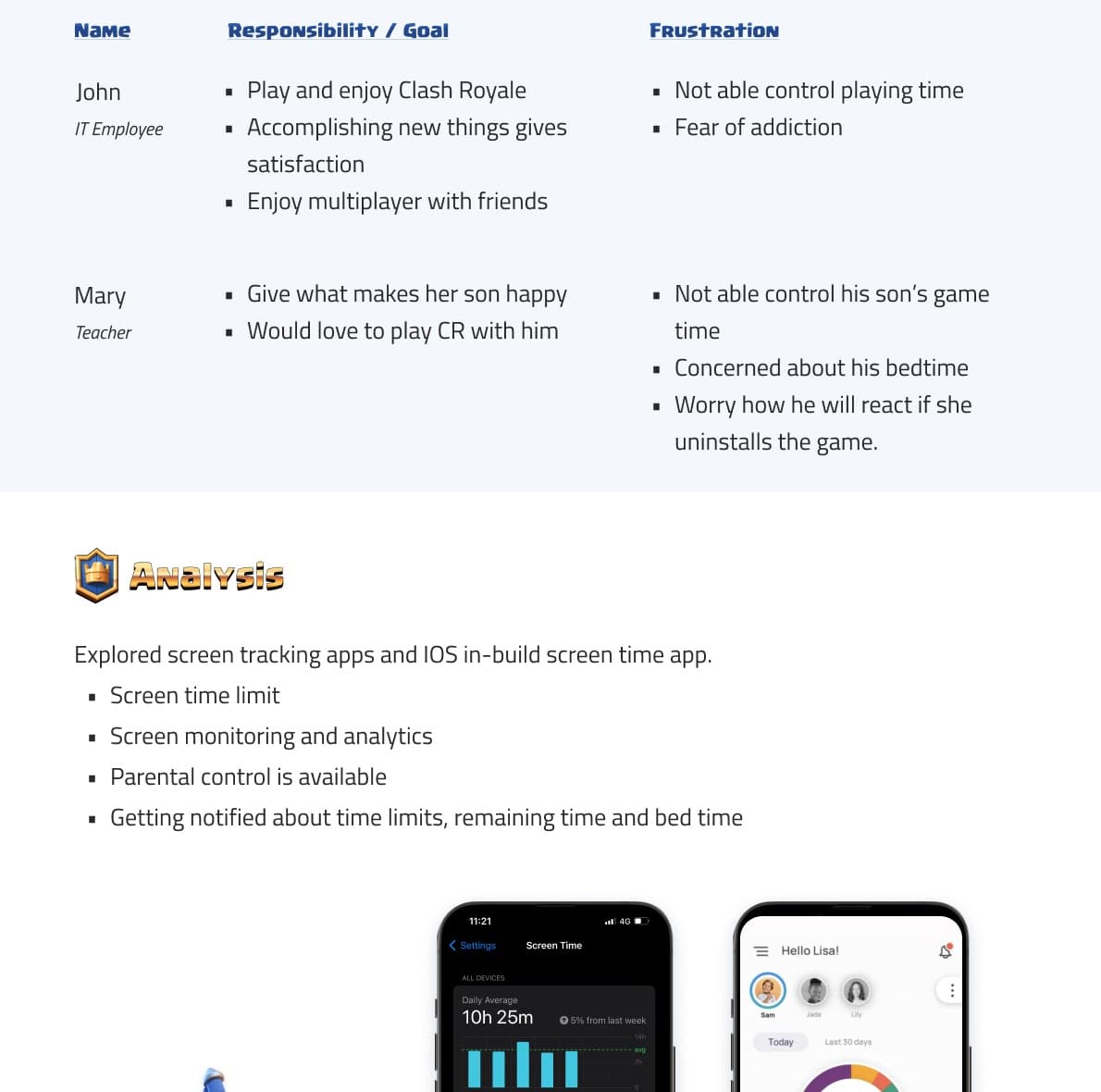
Two users, one shared control problem.

Persona and screen-time app analysis for the Clash Royale parental control concept
Research signal

What research shaped

  • The feature needed to stay optional because play and enjoyment are still the primary goals of a game.
  • Parents needed passcode protection so children could not quietly change the time limit.
  • A battle should not start if the remaining time is less than the expected match duration.
  • Existing screen-time tools showed useful patterns for activity summaries, daily limits, app schedules, notifications, and parental control access.

Feature model

Control, but still in the language of Clash Royale.

01 Menu02 Time limit03 Passcode04 Set controls05 Alert

Activity summary

Help players and parents see time spent inside the game.

Screen schedule

Let users set optional day/week/month play limits.

Parental lock

Protect changes behind a passcode-controlled flow.

Battle guardrail

Block battle start when the remaining time is too low.

Design system adaptation

The UI had to feel native, not pasted on.

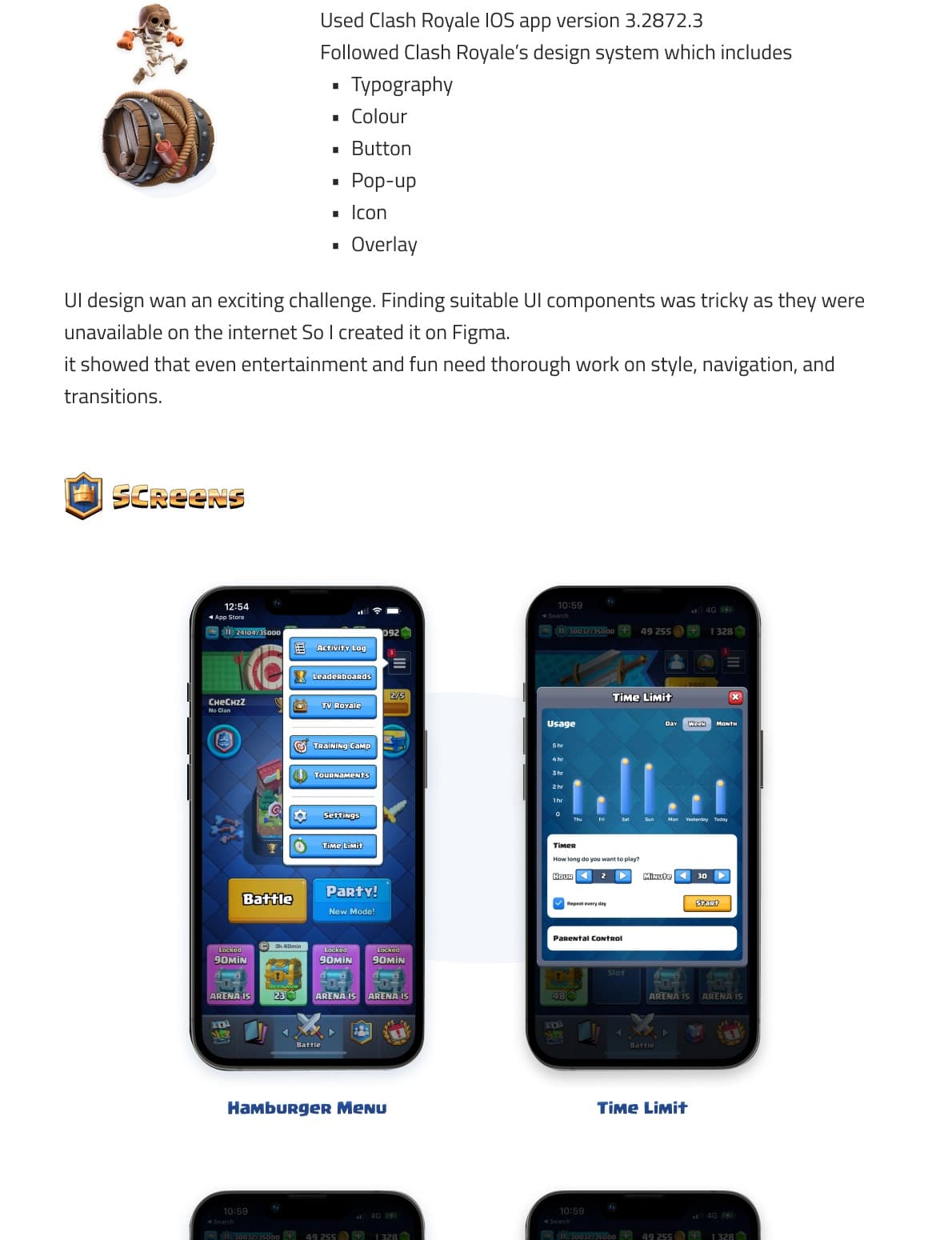
  • Followed Clash Royale-style typography, color, buttons, pop-ups, icons, overlays, and navigation.
  • Created missing UI components in Figma because suitable game UI components were not available online.
  • Kept the timer and parental-control surfaces visually tied to the game's existing panels and modal language.

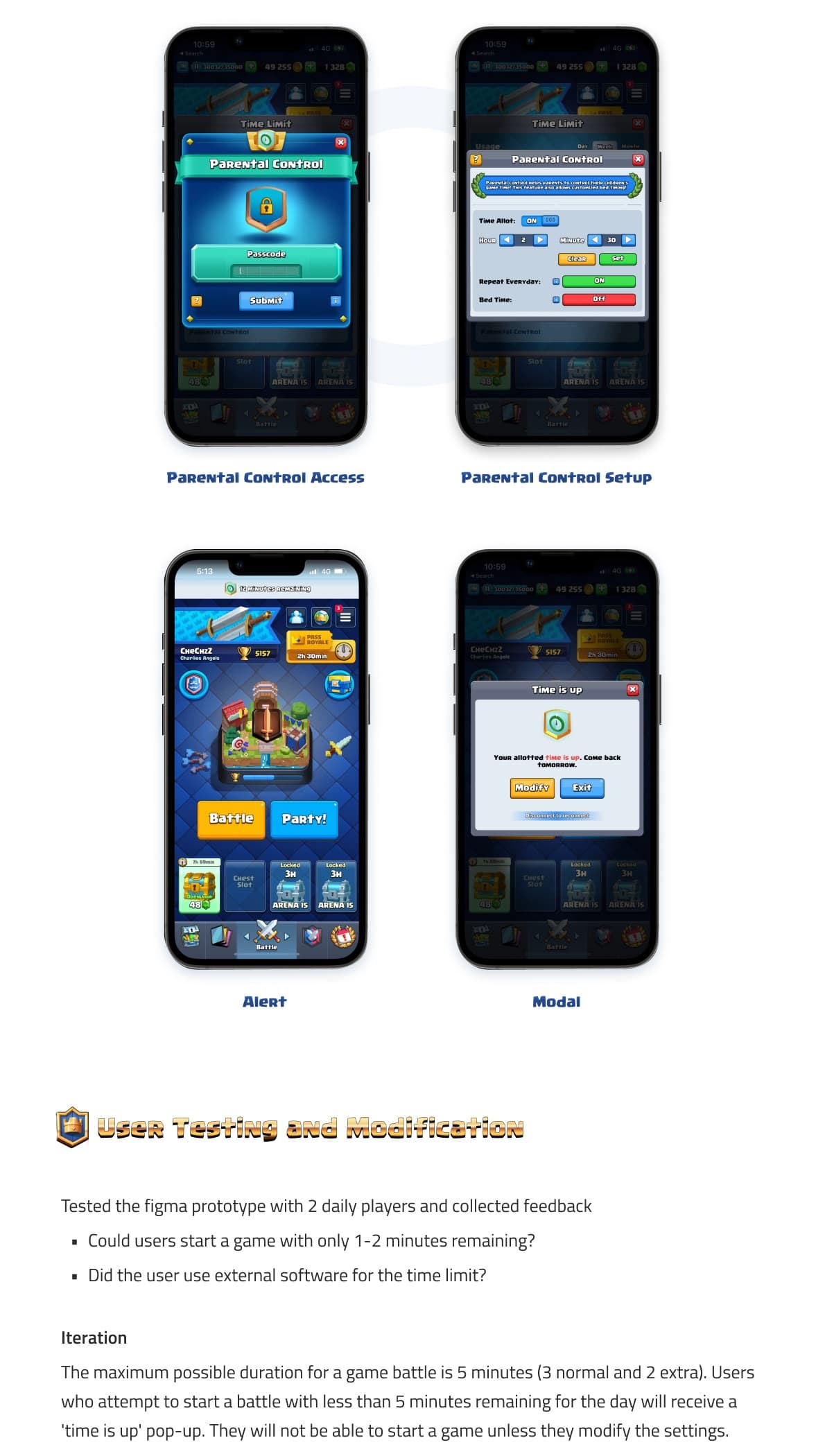
Screens

Menu, timer, passcode, setup, alert, and modal states.

Final Clash Royale parental control feature screens
Screens

Task design

A route from menu discovery to time-limit configuration.

Clash Royale task design and screen flow
Task design

Prototype testing

  • Tested the Figma prototype with two daily players.
  • Checked whether users could start a battle with only one to two minutes remaining.
  • Checked whether users relied on external software for time-limit control.
  • Adjusted the battle-start rule: if less than five minutes remain, the player receives a time-is-up pop-up and must modify the setting before starting a battle.

Outcome

  • A cohesive fictional game UI feature that feels closer to Clash Royale than a generic parental-control overlay.
  • A clear feature set covering activity summary, screen-time scheduling, notifications, parental controls, alerts, and battle-entry restrictions.
  • A research-backed design exploration that helped me practice game UX, visual adaptation, and feature logic.

Reflection

Even control features need game feel.

The main lesson was that game UX has to protect the play loop. Even responsible-use controls need to feel native to the game's tone, timing, and visual system, otherwise they feel like an external interruption.