Role
UX Designer
I designed a representative-led AI demo flow that turns dataset upload, prediction generation, result comparison, editing, metrics, and export into one clear product story.
My role
UX Designer, research synthesis, information architecture, wireframing, high-fidelity design, clickable prototype
Role
UX Designer
Timeline
1 month
Focus
AI/ML demo workflow
Iteration
Post-launch image viewer
Project overview
Speedo.ai offers end-to-end AI/ML lifecycle solutions, from data labeling to customized model creation and prediction generation. The business needed a platform experience that sales representatives could use to demonstrate the product quickly across industries.
Platform


The interface helps representatives turn a technical AI/ML workflow into a clear product walkthrough: upload data, generate predictions, compare results, edit output, and export.
The team needed a simple way for representatives to show clients how datasets can be attached, processed, compared, edited, measured, and downloaded. The challenge was to make a technical AI workflow understandable during a live sales conversation.
Design question
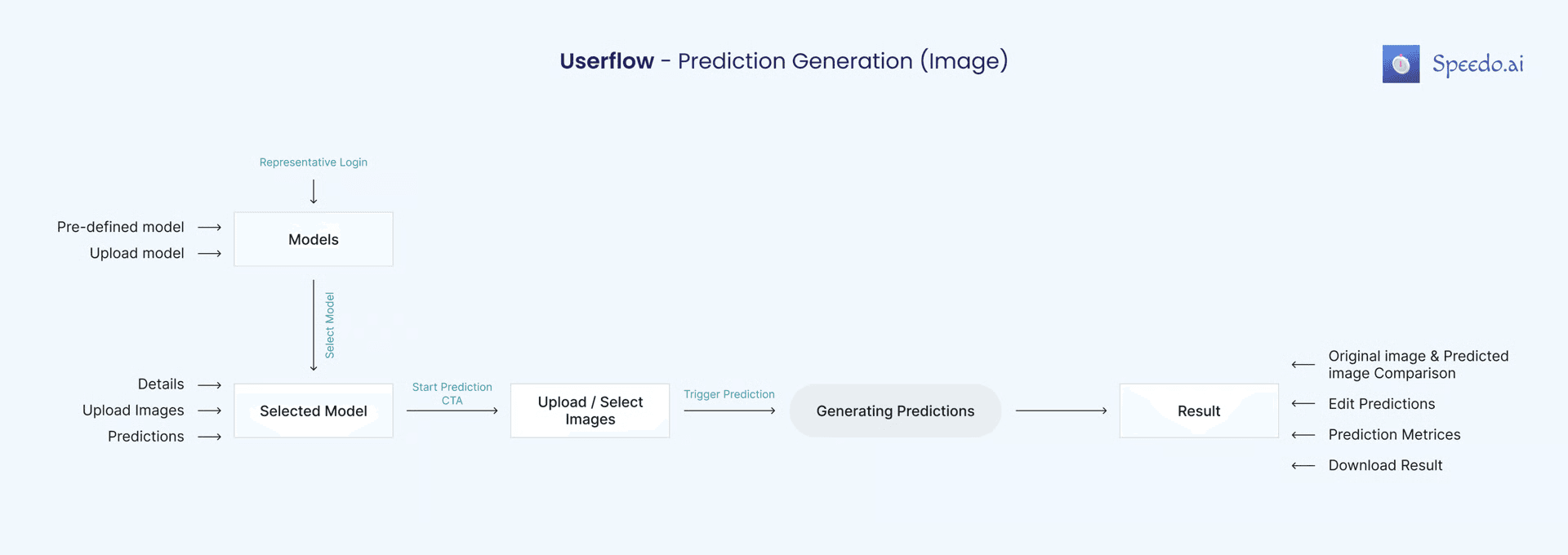
The interface needed to support a live sales conversation: choose a model, upload a client dataset, generate predictions, compare results, edit where needed, and export the final output.
A representative meets an aluminium sheet manufacturing company, collects corrosion-affected images from the business admin, uploads them into Speedo.ai, generates predictions, explains the process, and shows the final result.
Audience
Representative
Demo the product around a client's use case.
Business admin
Share images and understand the prediction result.
Quality control
Review quality issues and error reports.
Data scientist
Evaluate labeling, model training, and prediction quality.
Key flow
01
02
03
04
05
06
07
Demo journey
Images from the client's use case
SaaS workflow generates predictions
Compare, edit, measure, export
Demo gap
Competitors mostly showed existing projects, not a guided sales demo.
Trust need
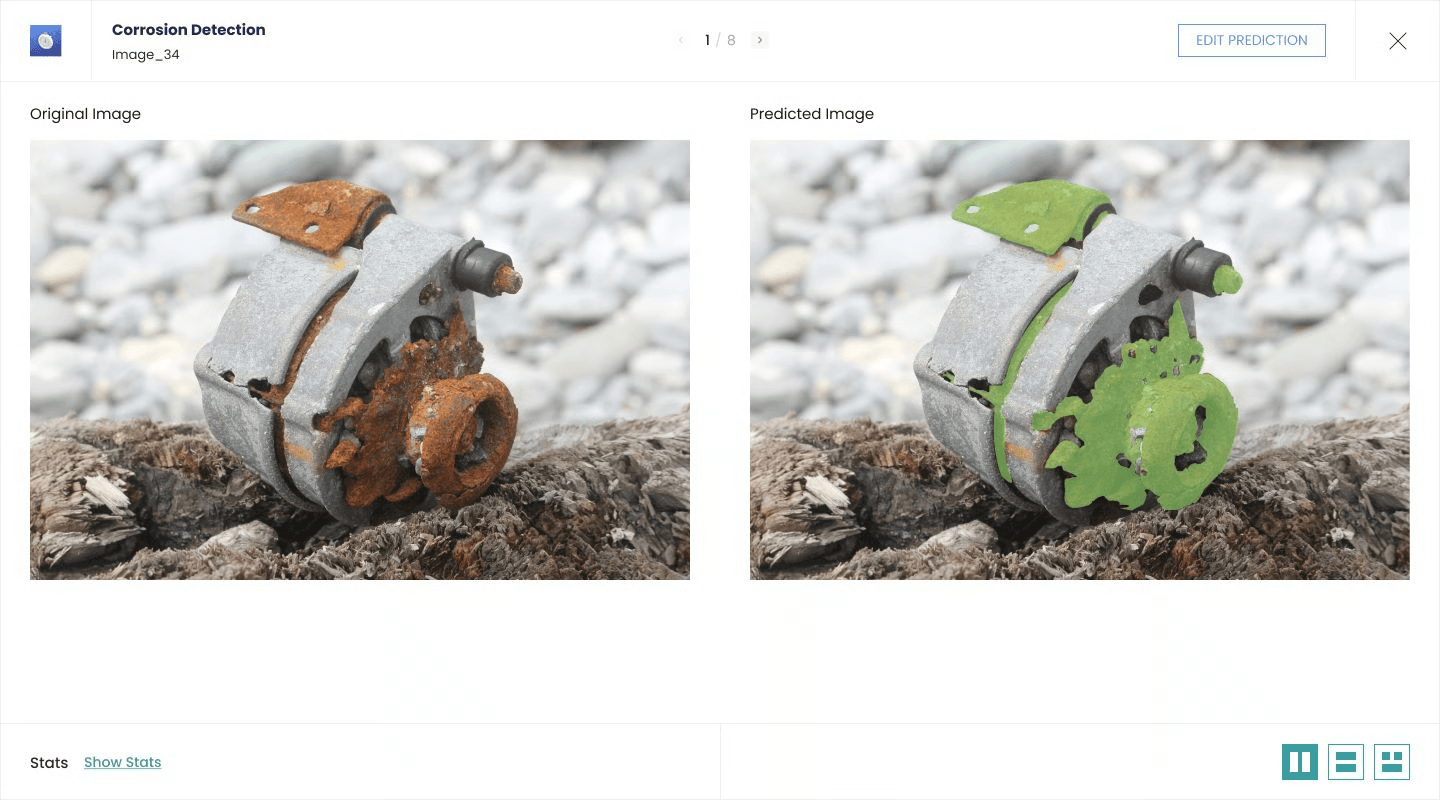
Clients needed to compare original inputs with AI-generated outputs.
Format reality
Real datasets included awkward horizontal and vertical images.
Design process
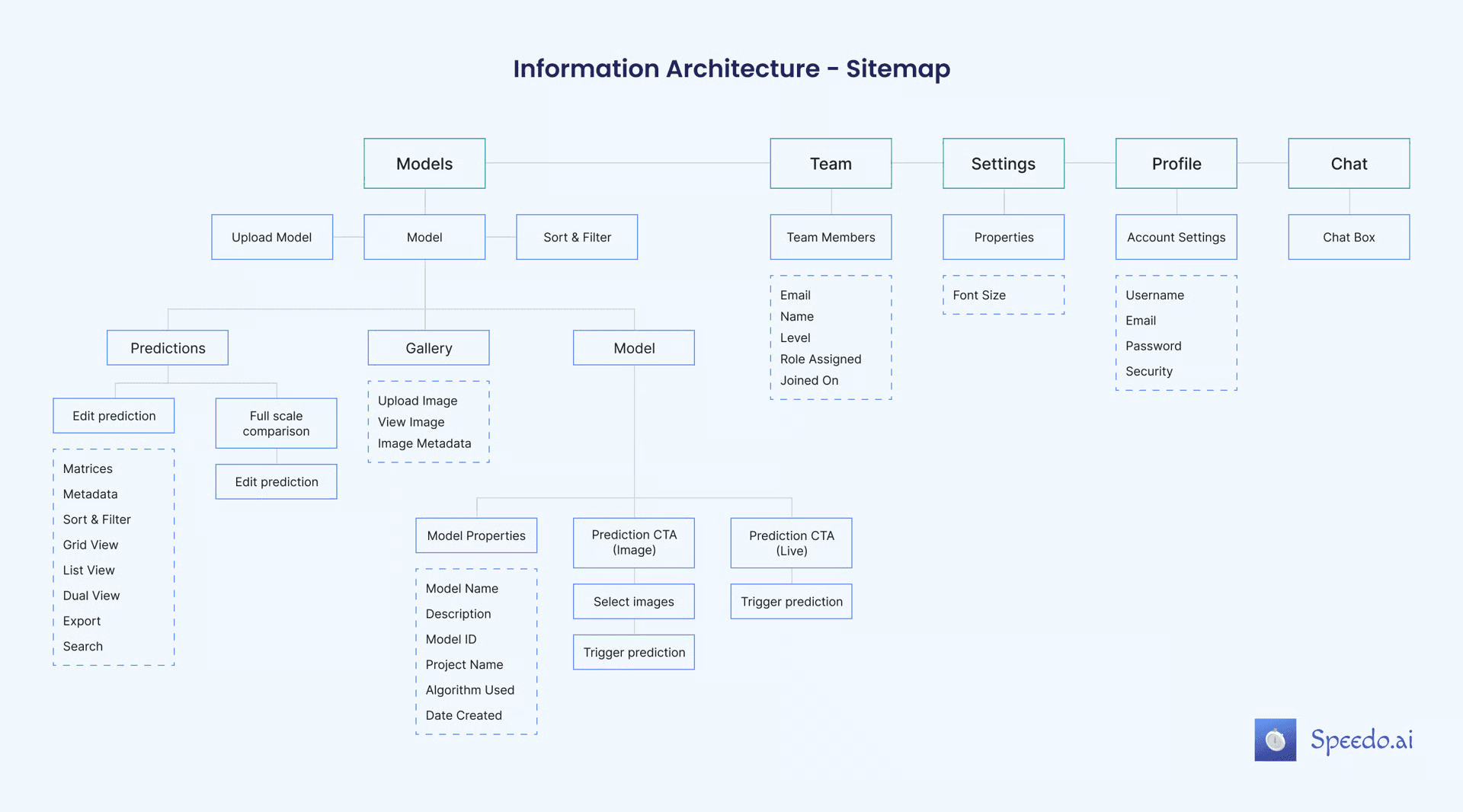
I used a collaborative, user-centred, iterative process: audience definition, competitor analysis, scenario writing, information architecture, sketches, wireframes, and high-fidelity prototyping.
Information architecture
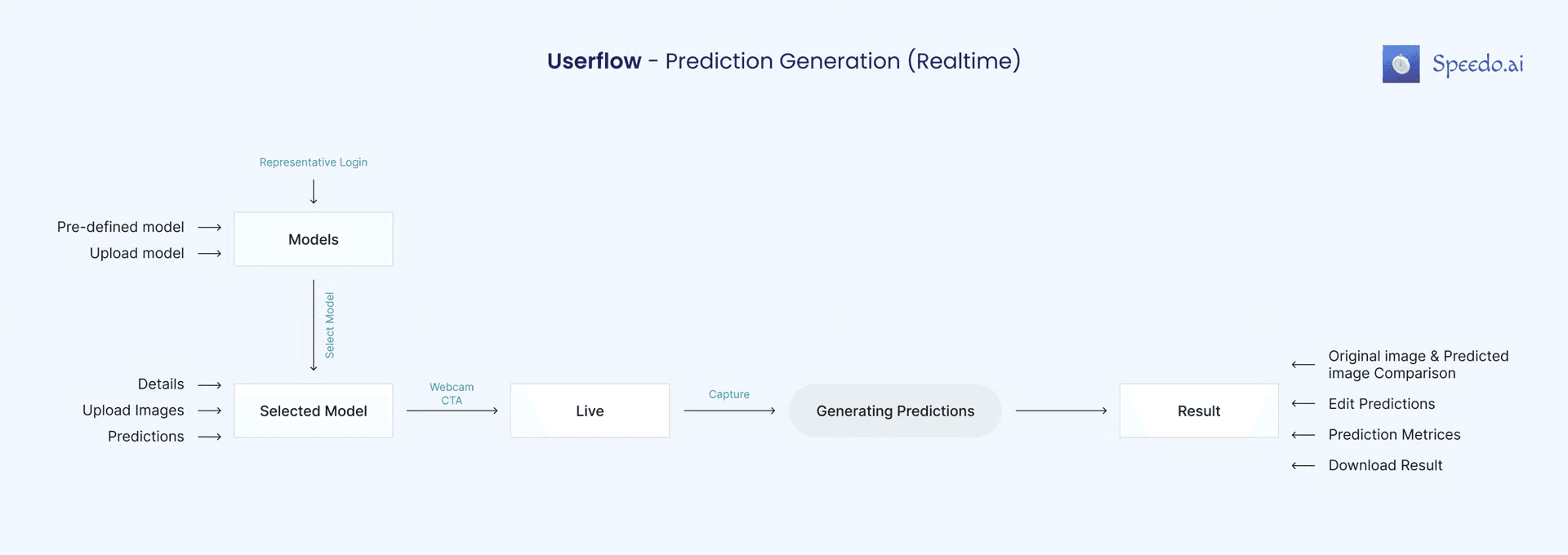
I mapped static image prediction and real-time prediction so the demo could branch without becoming difficult to present.
Wireframing
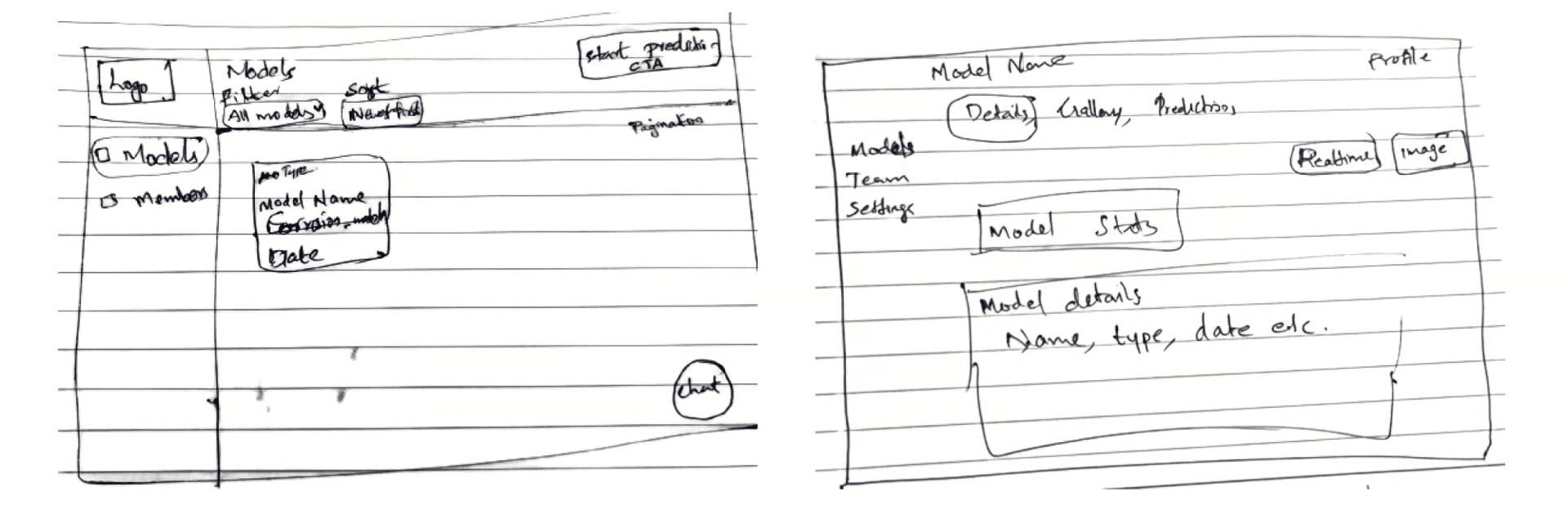
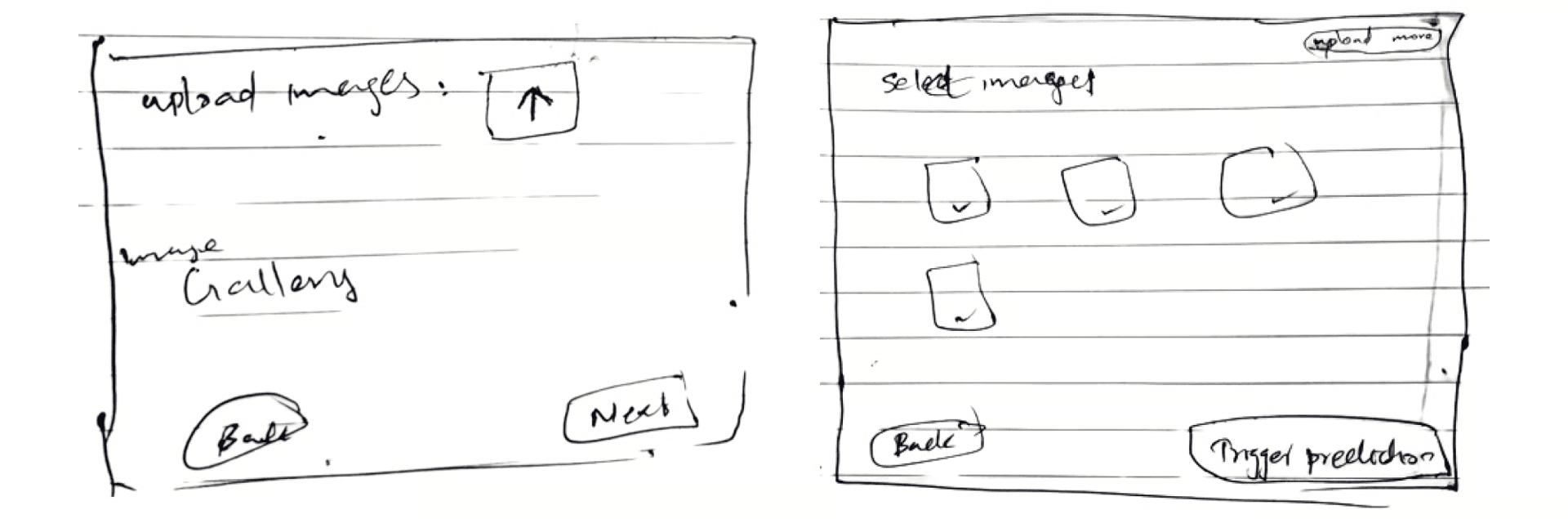
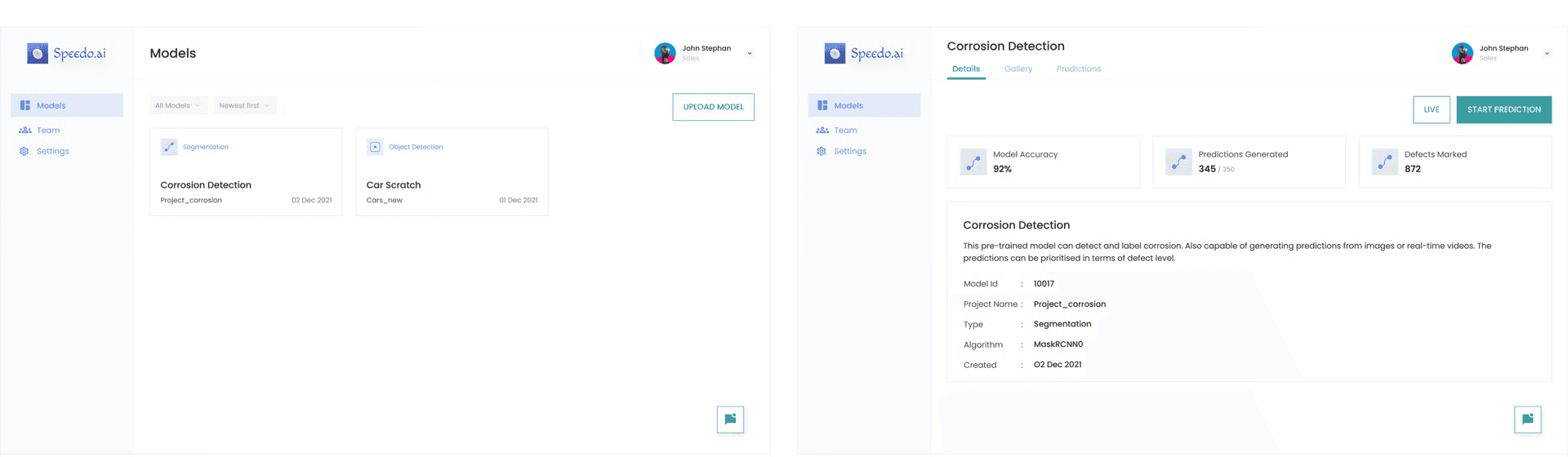
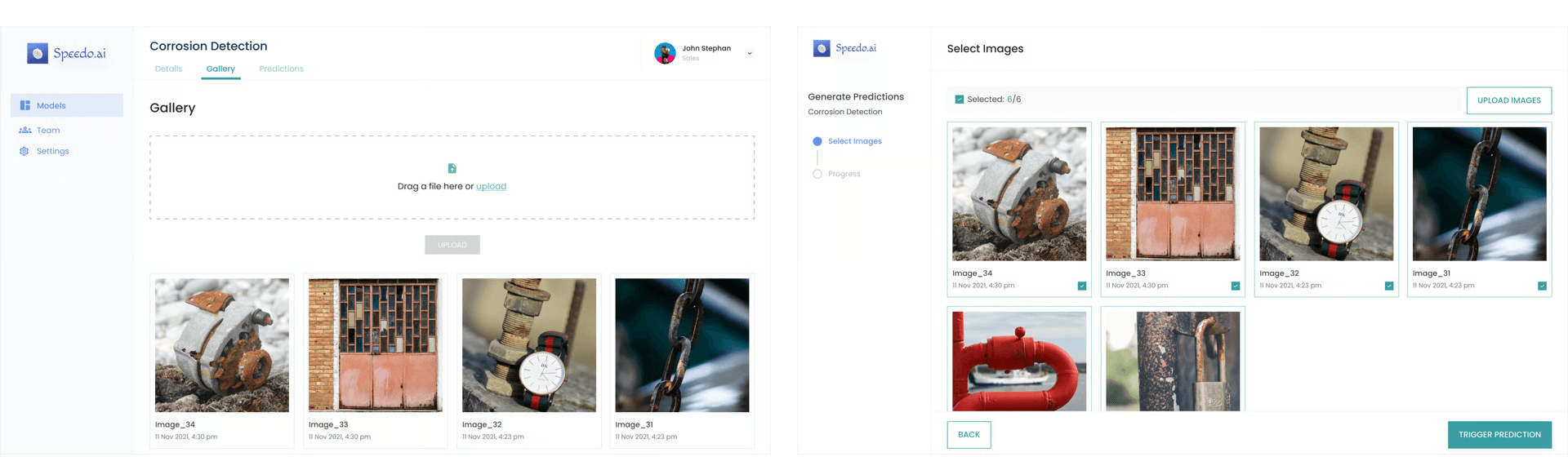
Prototype
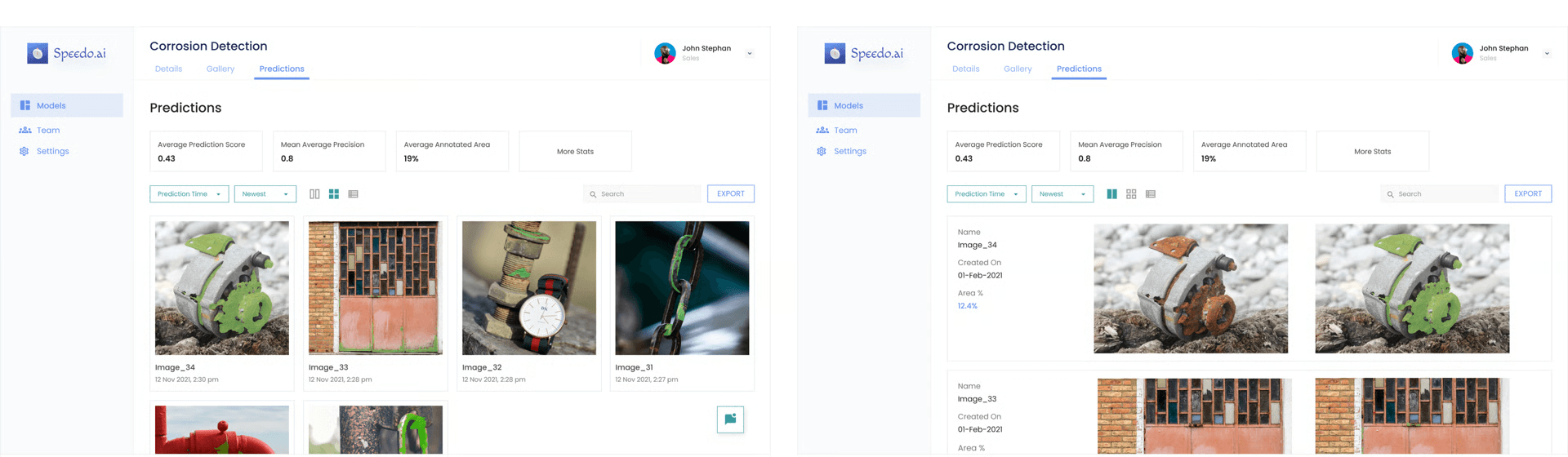
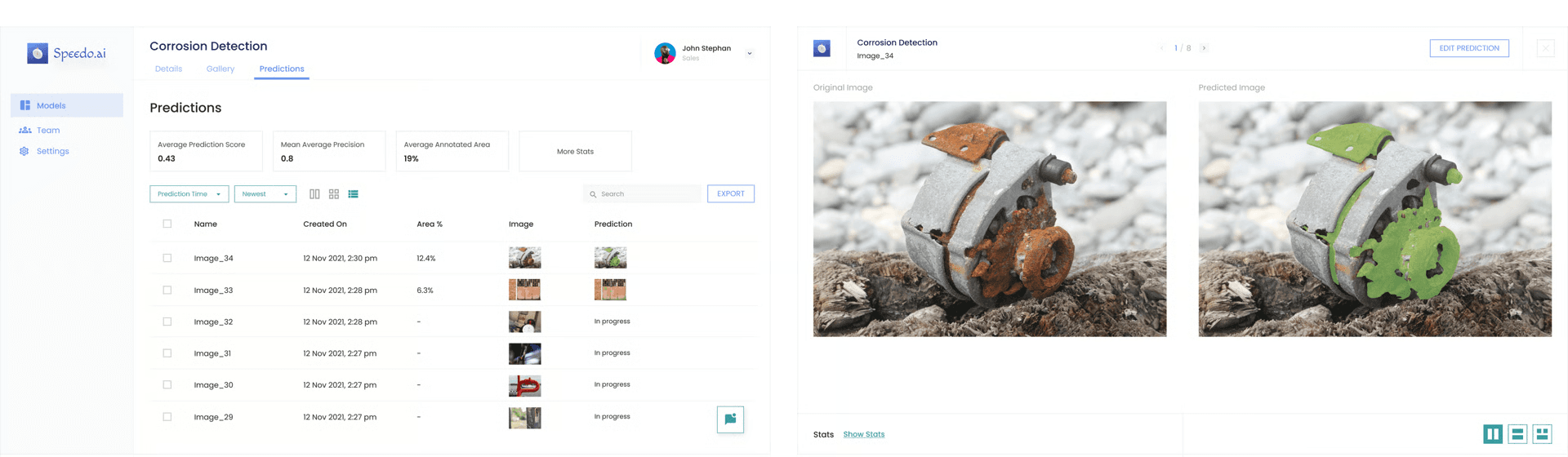
The predictions area gave representatives a way to show results in grid, dual, list, and full comparison views while keeping metrics and export close by.
Usability testing
Post-launch iteration
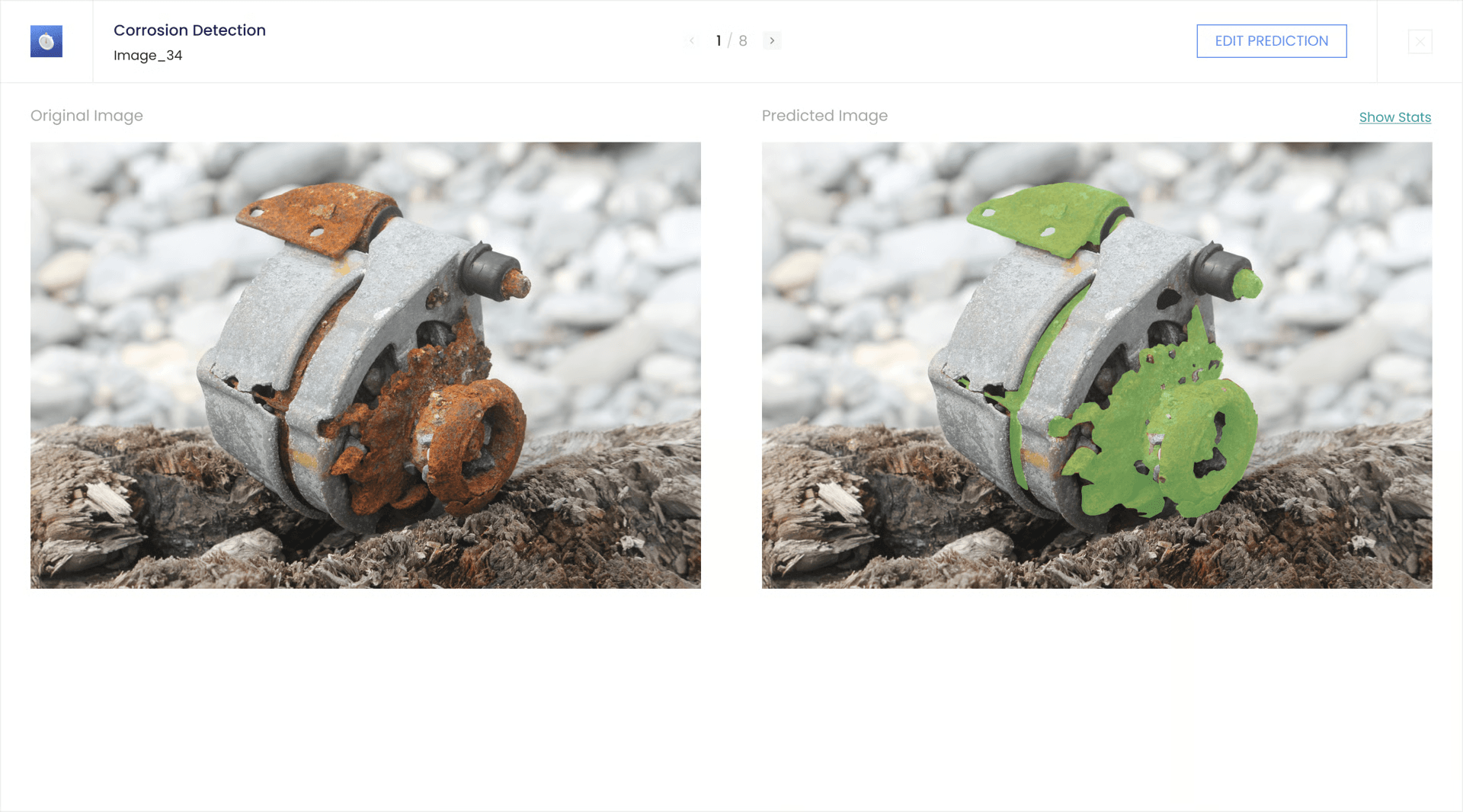
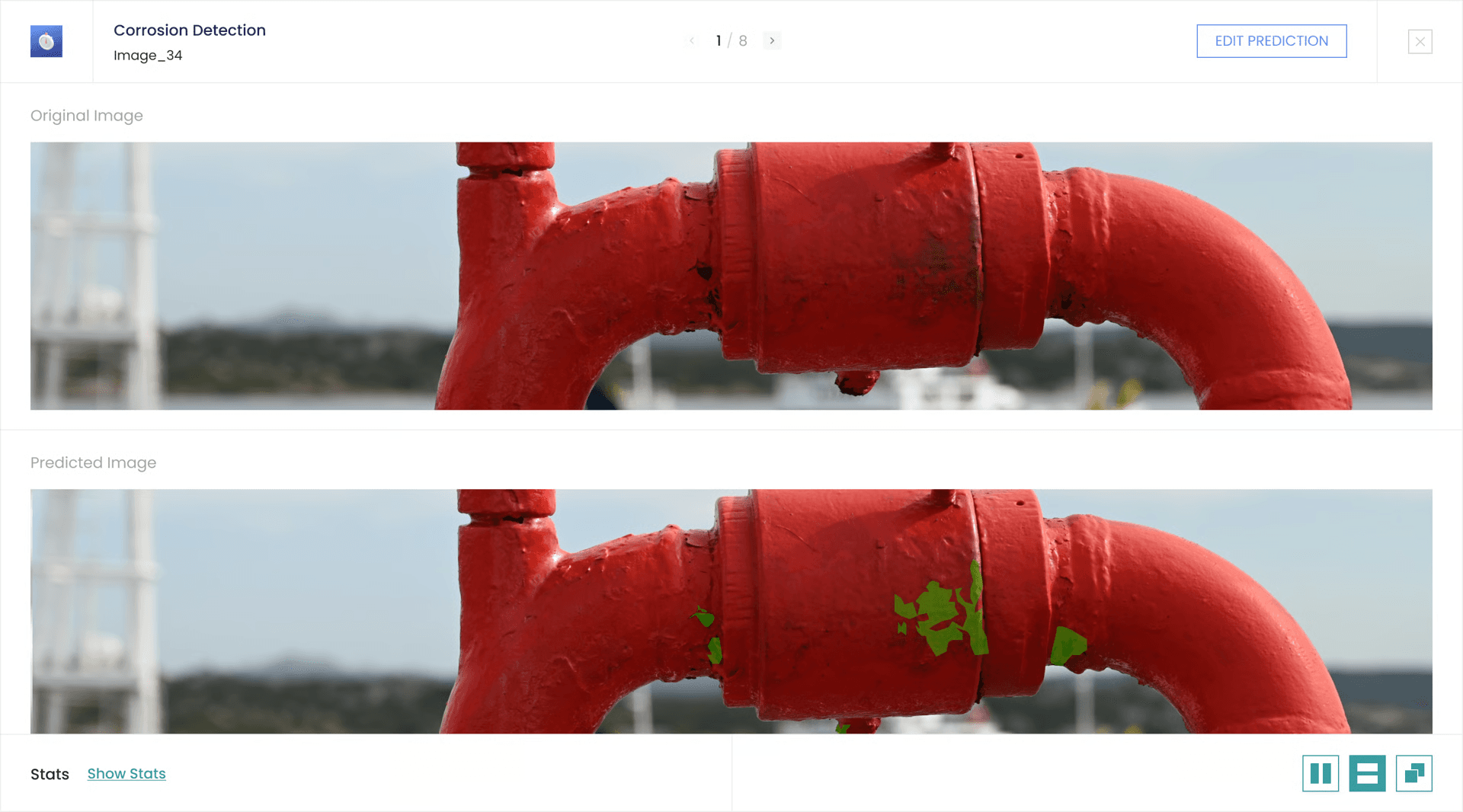
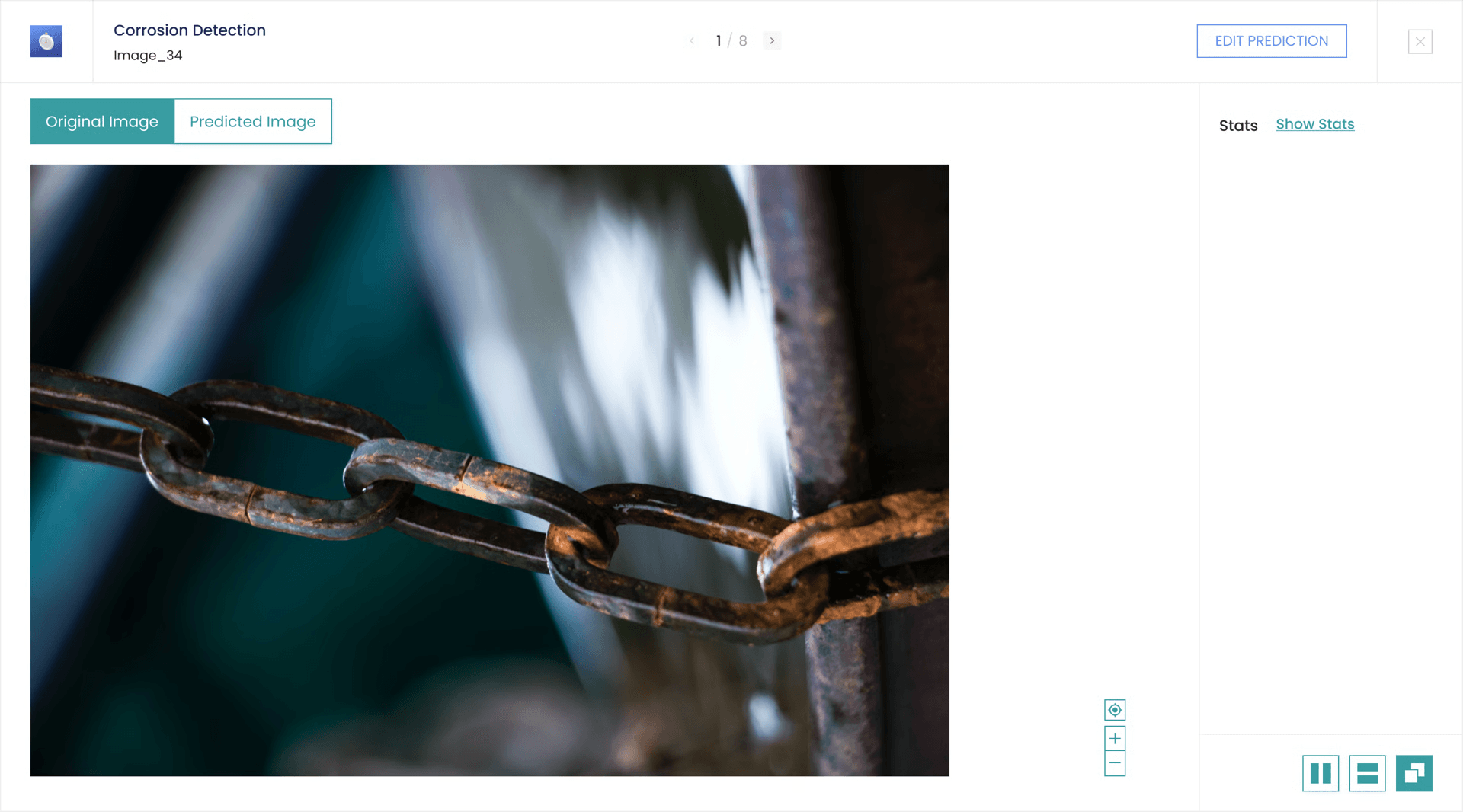
The first side-by-side comparison worked for square-like images, but extreme horizontal and vertical images were difficult to inspect. The iteration added a horizontal comparison mode and an individual full-scale view with zoom controls.
Zoomable detail
Inspect one image at fuller scale.
Flexible comparison
Review wide images in a stacked layout.
Prototype
The Figma prototype shows the representative-facing flow from model selection through prediction review.
Reflection
The project taught me that AI interfaces become easier to trust when the workflow is visible. For a sales-led platform, the design has to support both product explanation and client confidence at the same time.